
Spend the clear night observing, not wondering what to look at.
Clear Skies turns Claude, ChatGPT, Gemini or Grok into the experienced observer at the star party. Tell it your telescope, your sky and the date, and get a plan for the night with targets in the right order, the eyepiece for each, how to find them, and honest notes on what they'll really look like. Plus astrophotography basics and safety you can trust.
Get Clear Skies Observing Guide for $5 Calculate
$5 once · card, Apple Pay or Google Pay · download in a minute
Into more than one hobby? Get all 70 hobby skills for $19, this one included.
- One-time $5
- Instant email delivery
- 14-day refund
- Works in Claude, ChatGPT, Gemini and Grok
Plan: Dec 13, 2026, suburban backyard
8 in f/6 Dobsonian · 25 mm and 10 mm eyepieces · Bortle 6
Moon 17%, sets earlyGeminid meteor peakDress for the cold
- DuskCrescent Moon and earthshine, low in the southwest25 mm (48×): the whole Moon fits in a 1.1° fieldMoon
- 7:00Double Cluster in Perseus25 mm: both clusters just fit; sweep slowlyCluster
- 8:30Andromeda Galaxy core and its companion M32Expect a bright glow, not the photo; averted vision helpsGalaxy
- 10:00Orion Nebula, then 10 mm (120×) for the TrapeziumExit pupil 1.7 mm: four stars in the coreNebula
- LateGeminids by eye after moonsetLie back, look away from the radiant, give it 30 minutesMeteors
Everything an experienced observer keeps in their head
One skill, six jobs. Claude, ChatGPT, Gemini or Grok picks the right one from what you ask.
Observing plans
A plan for your date, location and sky, in the order targets rise and set, with the Moon taken into account.
Eyepiece math
Magnification, true field, exit pupil and useful limits for your scope, with the working shown.
Targets by season
What's well placed each season for your aperture and sky, from showpieces to challenges.
Finding things
Star-hop directions from bright stars, finder and Telrad tips, and what to do when you can't find it.
Astrophotography basics
Phone, camera on a tripod, tracker or telescope: settings, exposure limits, stacking and what's realistic.
Safety first
Solar safety with certified filters, red light, cold weather and safe setups for kids.
Ask it like you'd ask at the star party
It knows what your aperture and sky can really show, so the advice fits your night.
Add a short and a long one (high confidence)
Your scope's focal length is 1,200 mm, so magnification is 1,200 ÷ eyepiece focal length.
- Keep the 25 mm: 48×, 4.2 mm exit pupil, about 1.1° of sky with a 52° eyepiece. Your finding and galaxy eyepiece.
- Add a 10 mm: 120×, 1.7 mm exit pupil. The workhorse for planets, globular clusters and planetary nebulae.
- Add a 6 mm for steady nights: 200×, 1.0 mm exit pupil. Most nights the air won't support more than about 200 to 250×.
- Maybe a 32 mm later: 37.5×, 5.3 mm exit pupil and about 1.3° of sky with a 50° eyepiece, for big clusters and sweeping the Milky Way.
Skip for now
A cheap 2× Barlow can double your 10 mm into a 5 mm, but quality varies. A good 10 mm usually beats a Barlow stack.
One safety line
Never point the scope or its finder at the Sun without a certified solar filter fitted securely over the front.
Example answer from the full skill. Your answers depend on what you ask.
Honest about what you'll see
Astronomy ads promise 600× and Hubble colours. Clear Skies tells you what your eye will really see.
- Grey, not colourMost galaxies and nebulae look like faint grey glows by eye. It says so, and shows you how to see more.
- Aperture over powerUseful magnification has limits set by aperture and the air. It never chases big numbers.
- Solar safety, every timeOnly certified ISO 12312-2 filters for viewing the Sun, and only front-mounted filters on optics.
- Times are approximateRise and set times depend on your exact location. It points you to a planetarium app to confirm.
Up and running in two minutes
No app to learn and nothing to install on your computer. It lives inside Claude, ChatGPT, Gemini or Grok.
Buy once
Pay $5 by card, Apple Pay or Google Pay. Your download link arrives by email in about a minute.
Add it to Claude, ChatGPT, Gemini or Grok
Upload the ZIP under Skills in Claude, or the unzipped folder in Gemini. It takes about 30 seconds. In Grok, upload the ZIP, or paste the included paste-in file into a new skill. In ChatGPT, add the included paste-in file to a Project.
Just ask
"What can I see tonight with 10x50 binoculars?" "Why can't I find M33?" "Best settings for the Milky Way?"
Pick your app for the exact clicks
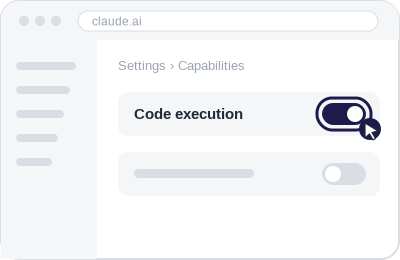
1In Settings, then Capabilities, turn on code execution.
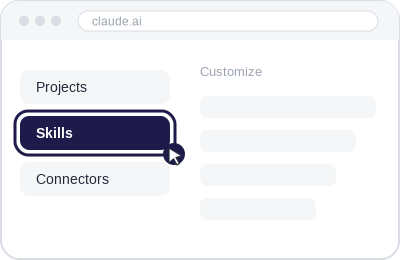
2Open Customize, then Skills.
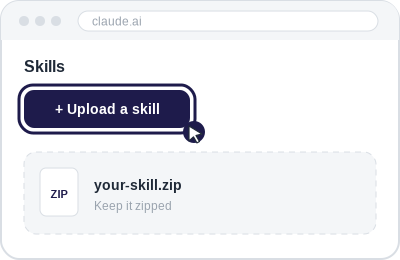
3Click +, choose Upload a skill, pick the ZIP. Keep it zipped.
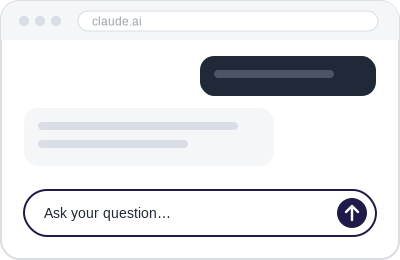
4Start a new chat and ask. Claude picks up the skill.
Works on every Claude plan, including the free one. Free plans have lower usage limits.
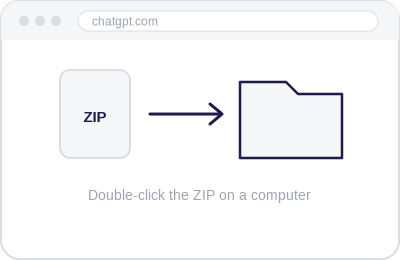
1On a computer, unzip the download and find ANY-AI-PASTE-VERSION.txt.
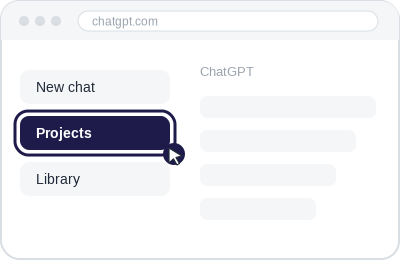
2In ChatGPT, open Projects and make a new project.
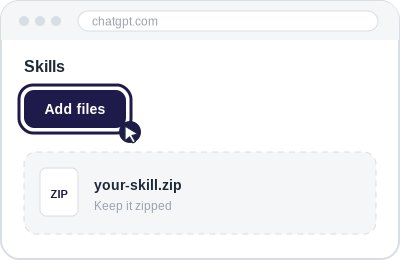
3Add the .txt file to the project. In its instructions, type: Follow the attached file.
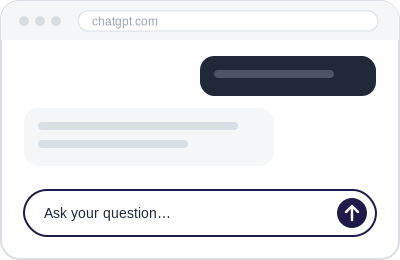
4Start a chat in that project and ask. On a Business, Enterprise or Edu plan, you can upload the ZIP under Skills instead.
Personal ChatGPT plans (Free, Plus, Pro) don't have a Skills page yet, so you use the paste-in version in a Project. On a Business, Enterprise or Edu plan, go to chatgpt.com/skills, choose Add, then Upload from your computer.
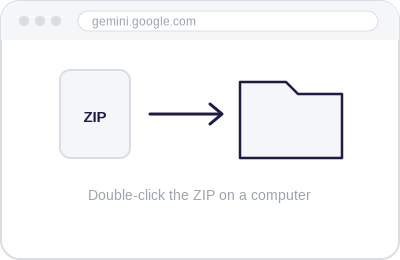
1On a computer, unzip the download. You get a folder.
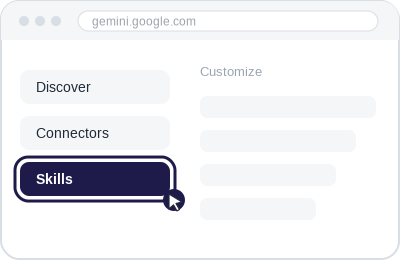
2At gemini.google.com, open Customize, then Skills.
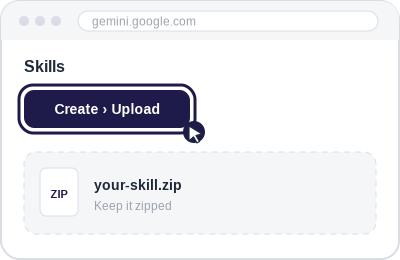
3Choose Create, then Upload, then folder. Pick the unzipped folder.
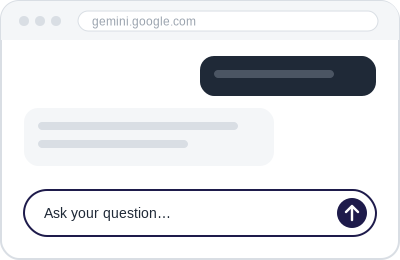
4Start a new chat and ask.
Gemini takes the unzipped folder, not the ZIP. Menus in Gemini change often, so names may differ slightly.
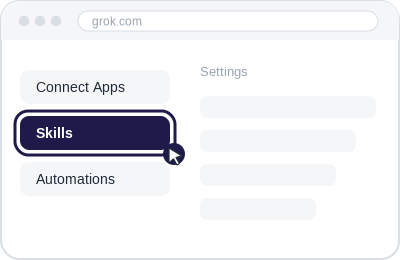
1At grok.com, open Settings, then Skills.
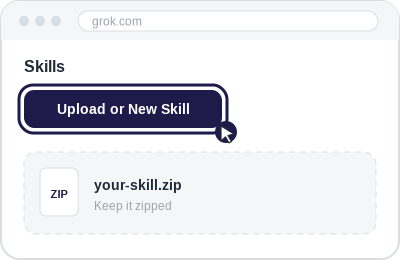
2If you see Upload, pick the ZIP. If you only see New Skill, use the next step.
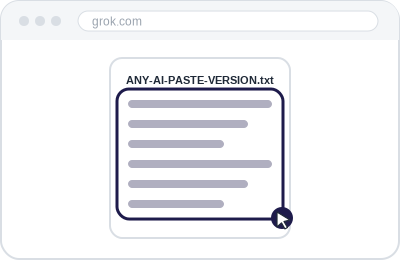
3New Skill: name it, then paste the text of ANY-AI-PASTE-VERSION.txt (below the line of equals signs) into Instructions.
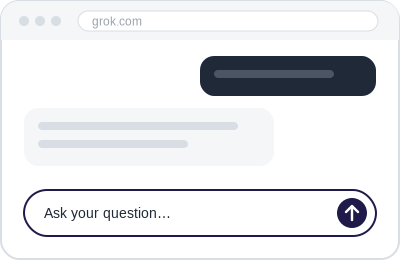
4Save it, start a new chat and ask.
Some Grok plans upload the ZIP; others show a New Skill form, where you paste the skill text in. Menus in Grok change often, so names may differ slightly.
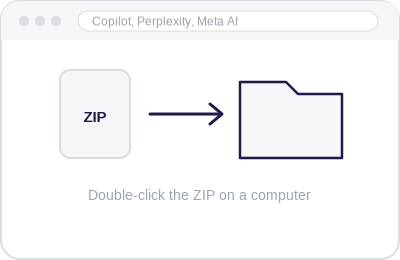
1No Skills page? Unzip the download on a computer.
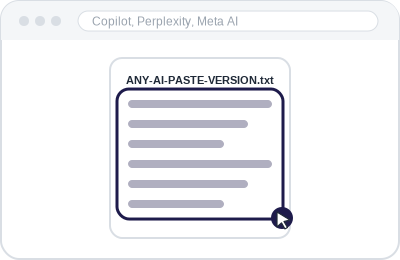
2Open ANY-AI-PASTE-VERSION.txt and copy everything.
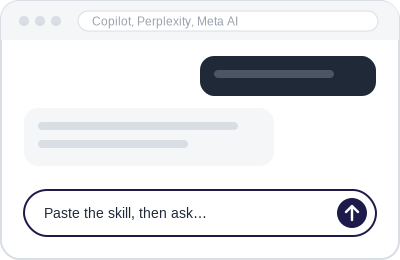
3Paste it into a new chat, then ask your question.
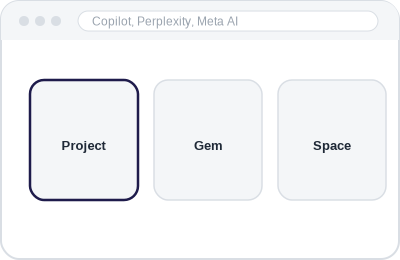
4To keep it on, add it to a ChatGPT Project, Gemini Gem or Perplexity Space.
Using Claude Code, Codex, Cursor or another coding agent? Unzip it into the skills folder, for example unzip clear-skies-observing-guide.zip -d ~/.claude/skills/
On your phone? Go ahead and buy: the download link goes to your email and works for a year. Adding a skill is easiest from a computer, in a web browser or the desktop app, so open that email there when you're ready. Want to try it on your phone today? Open the ZIP, copy ANY-AI-PASTE-VERSION.txt into any chat app, and ask.
Start with the free Night Plan
A small skill that builds a one-page observing plan for your scope, sky and date: five targets in order, with the eyepiece and a finding tip for each.
- Matched to your scope, sky and date
- Five targets in the order they're best placed
- Magnification and a finding tip for each
Get Clear Skies Observing Guide
Pay once, use it whenever you need it. Includes the free Night Plan too.
How to add it
Upload the ZIP under Skills in Claude, or the unzipped folder in Gemini (in Grok, upload the ZIP or paste the paste-in file into a new skill; in ChatGPT, add it to a Project), then start a new chat and try: "I have an 8 inch Dobsonian and a suburban backyard. It's clear tonight from 8 to 11 p.m. What should I look at?"
See the clicks for your app. Every download also comes with a paste-in version for any other chat, and a Start Here PDF.
Step-by-step guides with pictures: Claude · ChatGPT · Gemini · Grok
Clear Skies Observing Guide
Plan the night, pick the eyepiece, find the target and take your first astrophotos.
$5 one time
- Observing plans by date, location and sky
- Magnification, field of view and exit pupil math
- Seasonal target lists for any aperture
- Star-hopping and finding help
- Astrophotography from phone to telescope
- Solar and night-time safety
- Updates for a year
Card, Apple Pay or Google Pay through Stripe. Taxes calculated at checkout. 14-day refund.
Giving it as a gift? Buy it, forward the email, and print a gift card.
See a real answer from the full skill
You ask: I have an 8 inch f/6 Dobsonian with the 25 mm eyepiece it came with. Which eyepieces should I buy next?
Add a short and a long one (high confidence)
Your scope's focal length is 1,200 mm, so magnification is 1,200 ÷ eyepiece focal length.
- Keep the 25 mm: 48×, 4.2 mm exit pupil, about 1.1° of sky with a 52° eyepiece. Your finding and galaxy eyepiece.
- Add a 10 mm: 120×, 1.7 mm exit pupil. The workhorse for planets, globular clusters and planetary nebulae.
- Add a 6 mm for steady nights: 200×, 1.0 mm exit pupil. Most nights the air won't support more than about 200 to 250×.
- Maybe a 32 mm later: 37.5×, 5.3 mm exit pupil and about 1.3° of sky with a 50° eyepiece, for big clusters and sweeping the Milky Way.
Skip for now
A cheap 2× Barlow can double your 10 mm into a 5 mm, but quality varies. A good 10 mm usually beats a Barlow stack.
One safety line
Never point the scope or its finder at the Sun without a certified solar filter fitted securely over the front.
Into more than one hobby? The Skill Pass gets you all 70 hobby skills, this one included, for $19.
New to AI skills?
Clear Skies is a skill: a set of expert instructions you add to your own Claude, ChatGPT, Gemini or Grok account, so it answers like a experienced observer who knows the craft.
- Using Gemini? Unzip it and upload the folder on its Skills page. Using Grok? Under Settings, Skills, upload the ZIP or paste the paste-in file into a new skill. Using ChatGPT? Add the included paste-in file to a Project.
- New to all of them? Claude is an AI assistant made by Anthropic. Make an account at claude.ai: skills work on every Claude plan, including the free one, with code execution turned on in Settings, Capabilities.
- Try the free Night Plan skill first. If you like it, the full skill is one purchase.
Not ready for an AI app? The free telescope magnification calculator on this site works in any browser, no account needed.
Free observing tools
No sign-up, they run in your browser.
Made by Nic Hubert, What If Labs
I run What If Labs from British Columbia, Canada. I build each skill with AI help and test it on real questions, and a separate reviewer checks it before it goes on sale. If it doesn't do what this page says, email me at hello@whatiflabs.ai and I'll fix it or refund you.
No reviews yet: this store is new. Tell me how it went and I'll use it to make the skill better.
Questions
Does it know where things are tonight?
It knows what's well placed by season and roughly where, and it works out moon phase. Exact rise and set times depend on your location, so it tells you to confirm in a planetarium app. If it can search, it checks current events like comets.
I just got my first telescope. Is it too much?
Tell it what you have. It will help you align the finder in daylight, start with the Moon and bright clusters, and skip the jargon.
Can it help me photograph the night sky?
Yes, from a phone on a tripod to a camera on a tracker or telescope. It gives settings, exposure limits, stacking basics and realistic expectations for your sky.
Can I look at the Sun?
Only with a certified solar filter made for your telescope or binoculars and fitted securely over the front, or eclipse glasses that meet ISO 12312-2 for looking without optics. Never use eyepiece-end filters or regular sunglasses.
What do I need to use it?
A Claude, ChatGPT, Gemini or Grok account. In Claude it works on any plan, including the free one, with code execution turned on (Settings, Capabilities). Free accounts have lower usage limits, so long planning sessions go further on a paid plan. It works in Claude on the web, the desktop app and Claude Code. In Gemini and Grok, upload it on the Skills page. In ChatGPT, personal plans (Free, Plus, Pro) don't have Skills yet, so you add the included paste-in file to a ChatGPT Project; Business, Enterprise and Edu plans can upload the ZIP under Skills. Coding agents that read SKILL.md files work too. Using Copilot, Perplexity, Meta AI or another chat with no Skills page? Every download includes a paste-in version (ANY-AI-PASTE-VERSION.txt) that works in any AI chat.
What if it doesn't work for me?
Email hello@whatiflabs.ai within 14 days of buying and we'll refund you in full. No forms, no questions.
How is this different from just asking an AI?
A general AI answer is often vague or skips steps. The skill gives your AI an expert's method: what to ask you first, the checklists and calculations to run, and the mistakes to warn you about. You get consistent, specific answers instead of a different guess each time.
Do I pay every month?
No. It's a one-time price, and updates to the skill are free.
Can I get a refund?
Yes. Every purchase comes with a 14-day refund, no questions asked. Reply to your receipt email and we'll take care of it.
What if it gets something wrong?
It shows its working, so you can check numbers and dates. Tell it what's off and it will correct itself. For anything where a mistake costs money or safety, double-check before you act, as you would with any advice.
Is my information private?
The skill runs inside your own Claude, ChatGPT, Gemini or Grok account, and we never see your chats. When you buy, Stripe handles the payment and we keep your email and order so we can send the download. The terms and privacy page has the details.